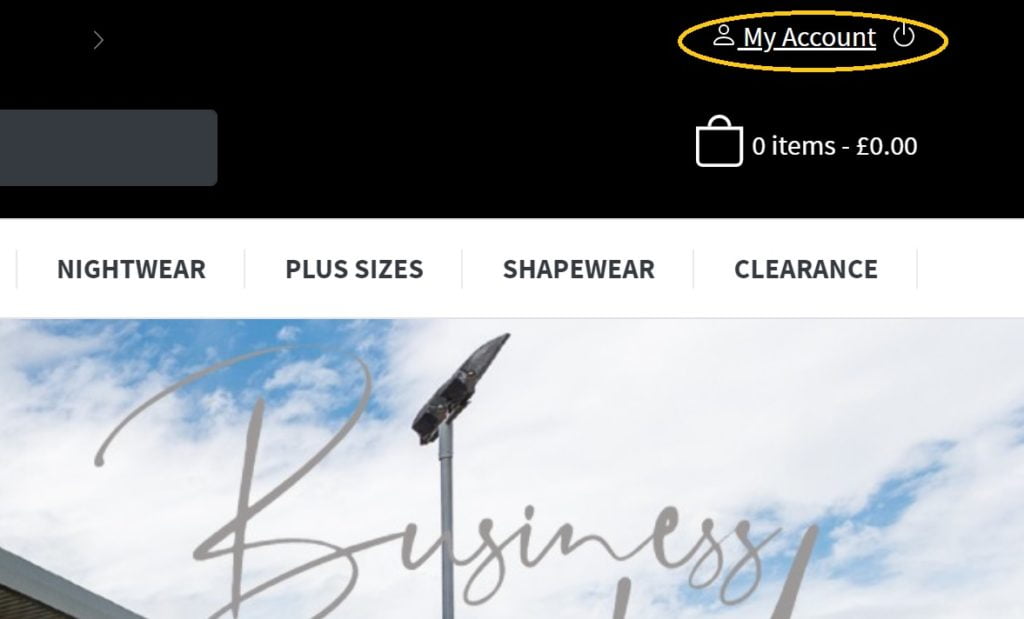
To download the product file and filter by category to see new sale items, please follow these simple instructions.
Go to your account area.
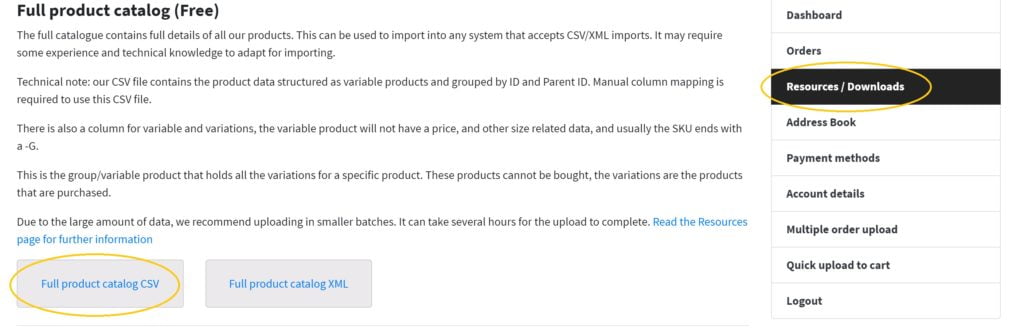
Then in the ‘Resources/Downloads’ area you can find the product csv file.
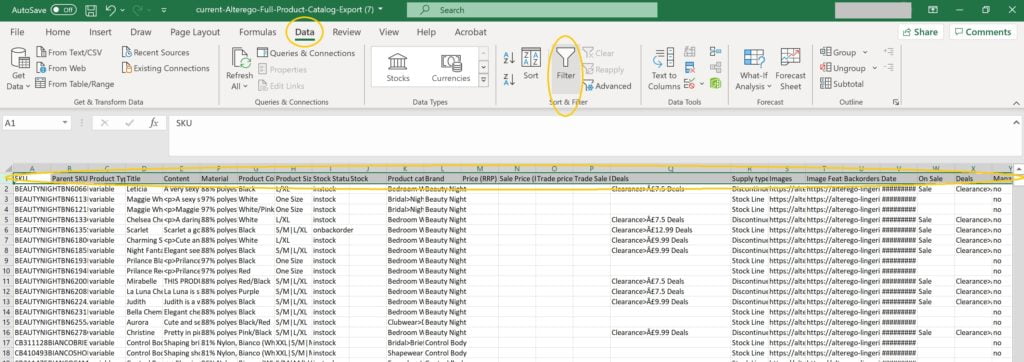
Once downloaded, open this file and you are ready to filter.
Start by selecting the first row by clicking on the left hand side of the first row. Once the entire row is highlighted find the data tab at the top and then click on the filter button. Please note that different versions of software may look different to the image shown.
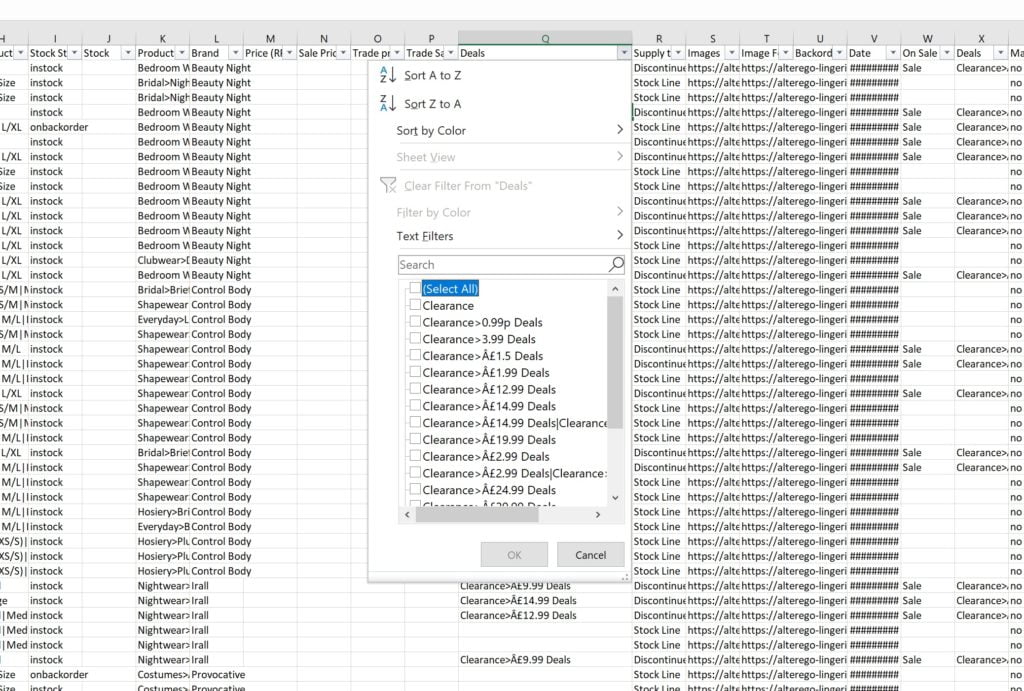
Now your filter in in place, go to the column with te heading ‘Deals’ and you can filter to see the offer your are looking for. If you select a deal it will only display products in that category.